

So it’s time for a new website. Maybe you’re tired of the dated design or have been through a company rebrand. Do you need to reposition your business? Or maybe you just need better functionality, features, and more intuitive navigation on your newly refreshed site.
Regardless of why you chose to spin up a new website, there are always those thoughts swimming around your head. Will I lose my traffic and SEO? Your existing website has likely spent years gathering traffic, backlinks, and climbing the search engine rankings, and there is a whole lot more to just flipping the switch to a new website. A poor transition to your new website can tank your traffic, blow up your Google rankings and cost your business dearly in the pocket! We’ve seen it happen over and over, and it is always perfectly avoidable.
You absolutely need to be worried about your traffic. That means that you understand there are risks and should be seeking out professional digital marketing help to make the transition process as seamless and painless as possible.
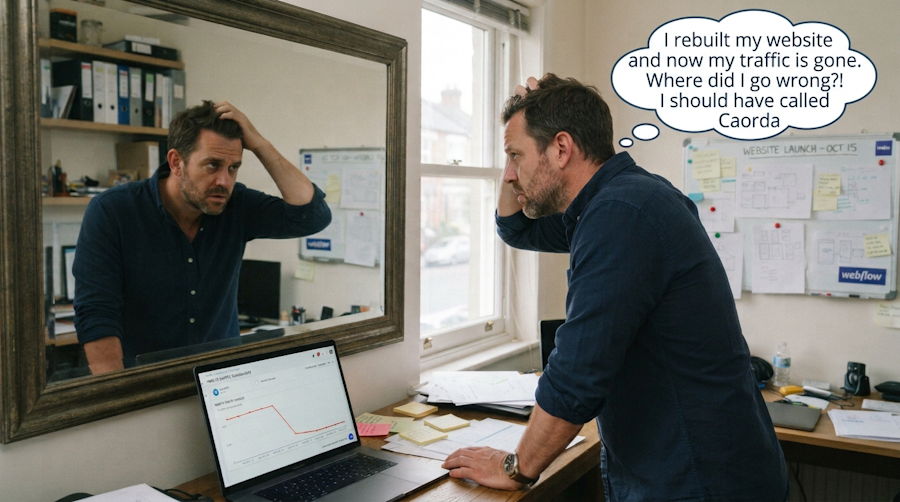
If you’ve decided not to work with an SEO specialist to preserve your search rankings and traffic, then you only have yourself to blame when the ‘you know what’ hits the fan. When your business partners and staff ask you why the phone stopped ringing and website sales went away, you only have that person in the mirror to blame.
This article explains how to save years of SEO while preserving your current traffic and rankings as best as possible.
Before the Launch
Here are some things to keep in mind before you think about launching the new version of your website. Ideally, a lot of this work has already been done to inform the building stage. But it’s not too late to go back and consider some optimizations.
Review Google Analytics and Google Search Console
Google Analytics (GA) is the free analytics program that collects all kinds of data tracked via a small piece of code installed on your site. It’s the best way to learn about the important pages and content on your website. Google Analytics records an incredible amount of data, so you want to be realistic about what info you use to help you with your website transition.
Google Search Console (GSC) is another free application which can tell you some very important information on how Google handles your website and how people search to find you in Google. Again, an SEO expert can help you decipher the data in order to use it to make important decisions about your website during the transition process. If you’re not using Google Search Console to plan your transition, stop everything and call an expert!
Use GA and GSC to make informed decisions on what content to carry over to the new website. For instance, if your old site relied on heaps of terrible, AI-written articles that don’t get any traffic, you can identify that in the reports and delete them all from your transition. You don’t want to migrate any content that Google deems as ‘not helpful’. It will only saturate your good content with lousy content. Prioritize content with high impressions, visitors, clicks, and time on page, and omit pages that don’t report impressions or clicks. The priority should be to preserve as much of that top-performing content as possible. Both GA and GSC have their own advantages when prioritizing URLs for the new website.
If you don’t yet have Google Analytics or Google Search Console tracking your site, now is the time to do so, well before your site goes live. The more traffic data you have, the better off you’ll be. Read more: Getting Started with Google Analytics.
Prioritize Mobile Design

In 2026, this should be so brutally obvious, but if you’re going live with a new site, you absolutely must invest in the mobile experience and performance. Especially if your old site was not well optimized for mobile, this is your chance to meet the demands of the modern internet user, with mobile phones accounting for the largest share of Canadian web traffic for the first time in 2025.
A website that looks bad on mobile phone screens has overcomplicated layouts, visual overload, and improperly fitting content. Considering that Google uses its mobile crawler for nearly all Google Rankings, performance and speed are major factors too. You need the mobile website to load quickly, while allowing users to navigate seamlessly and take key actions on your site with ease.
If your site clearly has not been optimized for smaller screens, with sluggish performance and slow page load speeds, search engines like Google will make you pay. Instead, websites with excellent mobile sites will be prioritized in search results.
Learn more about how to optimize your site for mobile, and if you haven’t already, get in touch with a good website developer to ensure your new site is meeting the needs of today’s internet users.
Preserve Important Keywords & Content
As mentioned above, your new site should aim to preserve as much of the top-performing content from your existing site as possible. That means links, videos, helpful content, metadata and more. If you have a page that is ranking well for an important set of keywords, the last thing you want to do is completely change the content. Pages rank for a lot more than just text, so move the content and be sure to keep any links that point to that page as well. All this is way harder than it seems, which is why you need a professional watching your back! We’ve seen many situations where a well-meaning site owner builds a new site and, without knowing, rams all of his traffic from the old site to the homepage of the new site and calls us in a panic, wondering where his traffic and rankings went.
Ultimately, if there are particular search phrases or keywords that you know are performing well for your business, do what you can to ensure they’re present on the new site too.
Page titles are another important part of your transition. The page titles and descriptions are highly visible pieces of content for search engines and users to figure out what each page is trying to communicate. If the existing metadata on your old site was solid, drag it over onto the new site. If not (or maybe there was no optimized metadata), now is the time to start fresh with high-performing keywords and logical descriptions within character limits.
Most modern CMSs automatically add page titles to each page based on the Page Name. This is normal, but it doesn’t mean the titles are good. These default page titles, are not optimized, and you need to run through them one by one. Update them based on the target keywords and previous relevance. Use a plugin like Yoast for WordPress to give you Title Tag and Meta
Watch this video to learn more about the value of strong page titles and descriptions.
Point Your Old URLs to Your New URLs
One of the most crucial stages of a new website launch is the physical transition of each URL. By redirecting URLs from your old website to new URLs on your new site, you’ll effectively “save” the traffic. Instead of getting a ‘404’ or a broken page experience, visitors will be directed to your brand new site without a hiccup.
Redirecting these URLs using a 301 Moved Permanently redirect will preserve the browsing experience for not only the visitors of your website, but also other people who find you across old URLs elsewhere on the internet. This is also the method to signal to Google where the new versions of your old pages are. This is one of the most important parts of your website transition. DO NOT skip this.
Think about all the URLs of yours that are scattered around social media, directory sites, news articles, industry award sites, forums and more. You’ll have little control over the URLs in these locations. But you can set up redirects to ensure that users clicking on those URLs will be taken to a relevant page on your new site.
The highly skilled and charismatic SEO team at Caorda completes a comprehensive transition plan before anything new goes live. We list each and every URL on the old website, along with any other URLs we can find in search results, in Google Search Console, Google Analytics and elsewhere, before manually reviewing each to ensure it has a relevant page on the new site to send traffic to. This is your best chance at preserving all of your traffic.
On Launch Day
On launch day, it’s all hands on deck. You’ll want to make sure everything is working properly before it’s seen by the masses. There will be extensive review of your site in the staging environment before a site goes live, but you’ll want to make sure everything turned out as it should have after the transition.
Find and Fix Links
One of the top priorities post-launch should be to hunt down and eliminate broken links that fell through the cracks during transition. Most importantly, these include code 404s, which are resulting in broken user sessions. You can also take this opportunity to clean up URLs that are successfully redirecting, updating them to the current version of the URL and removing the need for the redirect.
To access a complete list of every URL on your website, use a website crawler or work with your friendly neighbourhood SEO specialist. One by one, pick off each broken link until there’s nothing left.
Another source of broken links floating around out there on the internet is Google Search Console. Use this free resource to find unexpected or old URLs that can be redirected to new and relevant pages. Learn more about setting up and using Google Search Console.
Test Your Forms & Important Conversion Events
Which areas of your site are the most important for attracting leads or getting customers? The contact or estimate forms on your website are probably up there. Or if you’re selling products online, you’ll have dedicated forms for completing purchases.
If you haven’t tested them, do it now! There are a few things you’ll want to test for. First, you want to make sure the form can actually be submitted. Then you’ll want to watch to ensure the required fields and any conditional logic are working correctly. And what about after you submit? Ensure the thank-you message or thank-you confirmation page is working properly, and check the associated email to ensure you were notified of the submission.
Submit the Sitemap
The sitemap is like the blueprint of your website. This file can help search engines find your deeper pages a bit more efficiently, so they can decipher what exactly is on your site and where it can be found.
Submitting your sitemap is easy. If you haven’t already, set up a Google Search Console (GSC) domain to track the search results activity and performance of your site. Once you’ve got GSC, navigate over to Indexing, then Sitemaps to upload your sitemap.
If you’re using a website builder like WordPress, Shopify, Squarespace or others, there will be a way to upload or automatically generate the sitemap. Contact your developer for clarity on whether or how your sitemap was submitted.
A Little Later

After a week or two, Google should have had enough time to begin collecting some meaningful data. This is when you can identify anything that’s been left out and deal with issues that have arisen since launch.
Give Google Time to Refresh Your Indexed Pages
Google Analytics (GA) has the ability to report on data in real time. So you won’t need to wait long to see the data flow. But after about a week, your GA property will have enough data to notice trends or anything that’s definitely broken. If certain pages are not being viewed, that’s a red flag, or if custom events have yet to report on anything, it might be a good idea to look under the hood.
A week should be enough time for Google Search Console to begin identifying issues as well. GSC will tell you if it’s found any 404s, unindexed pages, search results, security issues, performance holdups, and more.
A digital marketing specialist can help you sort through this list of issues, ignore what can be ignored, and take action on what’s important.
If preserving your website traffic and organic search rankings is important for your business, contact Caorda to work with a dedicated SEO team. We’ll create a comprehensive transition plan for your new site with no stone left unturned to ensure your best chances of saving your traffic, SEO and rankings from over the years.