Caorda Logo
  • Design
    • Design
    • Website Design
    • Branding & Logo Design
    • Print Design
    • Our Design Process
  • Development
    • Development
    • WordPress Development
    • Website Development
    • Mobile Apps
    • Software Development
    • Database Development
  • Hosting
    • Hosting
    • Web Hosting
    • Email & Exchange Hosting
    • Secure File Hosting & FTP Solutions
    • Managed VPS Hosting
  • Digital Marketing
    • Digital Marketing
    • SEO Services
    • Google Ads & SEM
    • Social Media Marketing Services
    • Blog & Article Writing
    • Email Marketing Services
  • About Us
  • Blog
  • Careers
  • Our Work
  • Pay an Invoice
  • Support
  • Contact
  • +1.250.598.6772
  • COVID-19 Policy
Caorda Logo
  • Design
    • Website Design
    • Branding & Logo Design
    • Print Design
  • Development
    • Website Development
    • Mobile Apps
    • Software
    • Databases
  • Hosting
    • Web Hosting
    • Emails
    • Secure FTP
    • Managed VPS
  • Digital Marketing
    • SEO Services
    • Google Ads & SEM
    • Email Marketing
    • Social Media

FAQ

8
  • The new Caorda Webmail
  • What version of Outlook am I using?
  • IMAP – Set Default Folders on Apple mobile device (IOS 18+)
  • How to Pay an Invoice
  • How do I receive Maintenance Notifications?
  • Spam – Email Rate Limit
  • Does Caorda offer cPanel ?
  • Where is my data located?

Spam

7
  • How do I manage my Quarantine?
  • How do I mark an email as Safe?
  • Can you block an entire country from sending you Email?
  • How do I block an email address or domain?
  • How do I manage my settings?
  • How do I login to my Spam firewall?
  • How are rules inherited?

Email POP/IMAP

24
  • IMAP – Set Default Folders on Apple mobile device (IOS 18+)
  • IMAP – Setup my Mailbox on an Apple mobile device (IOS 18+)
  • POP – Setup my Mailbox in Outlook 365 for Windows
  • How do I change my email password?
  • How do I archive my emails in Outlook
  • IMAP – I can’t see all my folders in Outlook
  • Password Policies
  • Administrator – Create a new email account
  • IMAP – Setup my Mailbox in Outlook on an iOS Device
  • IMAP – Setup my Mailbox in Outlook 365 for Windows
  • IMAP – Setup my Mailbox in Outlook 365 for Mac
  • IMAP – Setup my Mailbox in Mozilla Thunderbird
  • IMAP – Setup my Mailbox in Mac Mail
  • IMAP – Setup my Mailbox in Outlook on an Android Device
  • IMAP – Setup my Mailbox on an Android device (Android 12+)
  • IMAP – Setup my Mailbox on an Apple mobile device (IOS 16+)
  • POP – Setup my Mailbox in Outlook 2013-2016 for Windows
  • POP – Setup my Mailbox in Outlook 365 for Mac
  • POP – Setup my Mailbox in Mac Mail
  • Setup POP retrieval using GMAIL
  • Webmail – Add an Email Signature in Webmail
  • Webmail – How do I access my email from the Web ?
  • Webmail – Setting up mail forwarding
  • Webmail – Setting up out of office auto response

Email Hosted Exchange

8
  • EXCHANGE – Setup my Mailbox on an Apple mobile device (IOS 16+)
  • EXCHANGE – Setup in Outlook 365 for Windows
  • How do I archive my emails in Outlook
  • Webmail – How do I access my email from the Web ?
  • Enable Contacts on the Outlook App on Android
  • EXCHANGE – Setup Outlook 2010-2016
  • EXCHANGE – Setup my Mailbox in Outlook on an iOS Device
  • EXCHANGE – Setup my Mailbox in Outlook on an Android Device

FTP

12
  • How do I check my disk usage?
  • Add users to a Group
  • How to create a User
  • How to create a Group with Directory Access
  • Enforce SSH Key based Authentication for a User
  • How to receive files using the File Sharing option
  • How to Send files to a client using the File Sharing option
  • Reset your own Multi-Factor Authentication as a User
  • Reset a single User’s Multi-Factor Authentication
  • Setting up Multi-Factor Authentication for a Domain Group
  • Setup Multi-Factor Authentication for a Single User
  • Setup SSH Key Authentication for a User

Website

2
  • What is Caorda’s WordPress Maintenance Plan ?
  • Why am I not getting emails from my Caorda QA site ?
  • Home
  • Caorda Support
  • FAQ
  • The new Caorda Webmail
View Categories

The new Caorda Webmail

Welcome to the new Caorda Webmail and Email service. With a rich feature set and responsive design that works well on any device, this new webmail interface will help you get your work done from anywhere. Here are some highlights on things that have changed and new features available to you.


Webmail updates

A modern interface
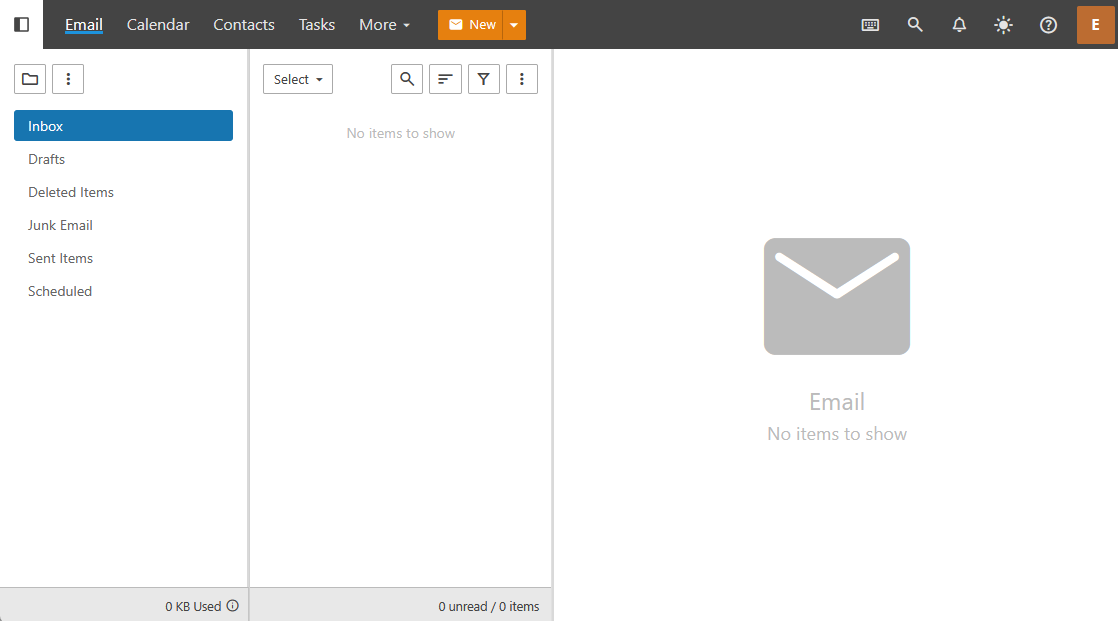
Welcome to your new responsive webmail, including a number of new features you expect from a modern application. Some new features include Scheduled Emails, folder and contact sharing, and Keyboard Shortcuts.


New calendar
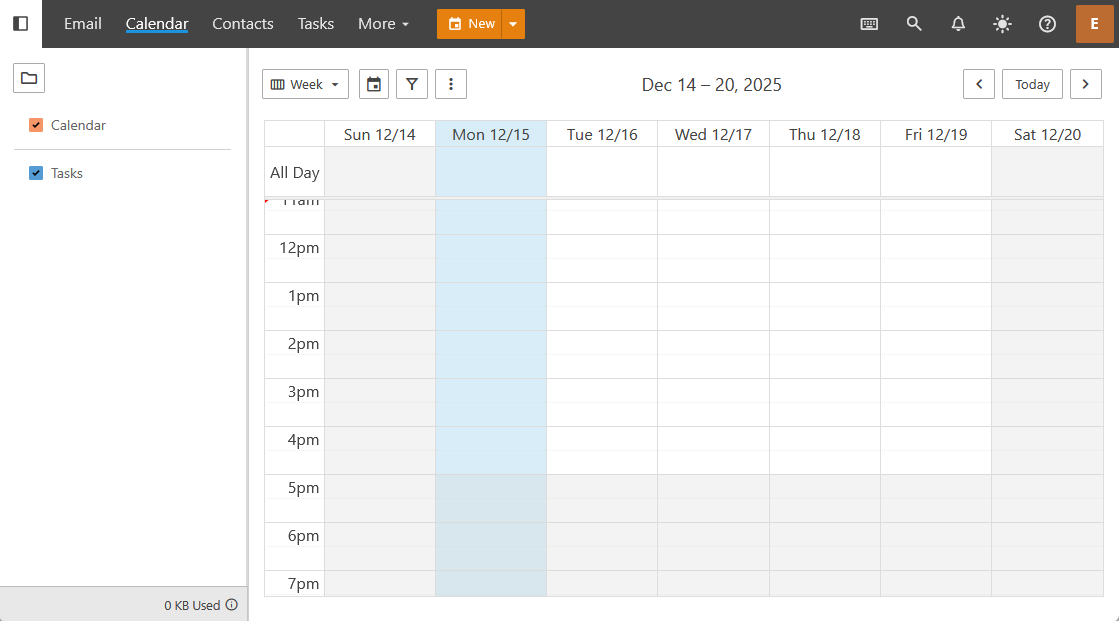
This new calendar includes more customization features and allows for easier sharing between users. Users can share calendars between each-other or to an entire group within the Domain. This feature is available from within the webmail. Please note that Calendars and Contact syncing to an external application, or mobile client, requires enabling the Exchange and MAPI features.


Improved contacts
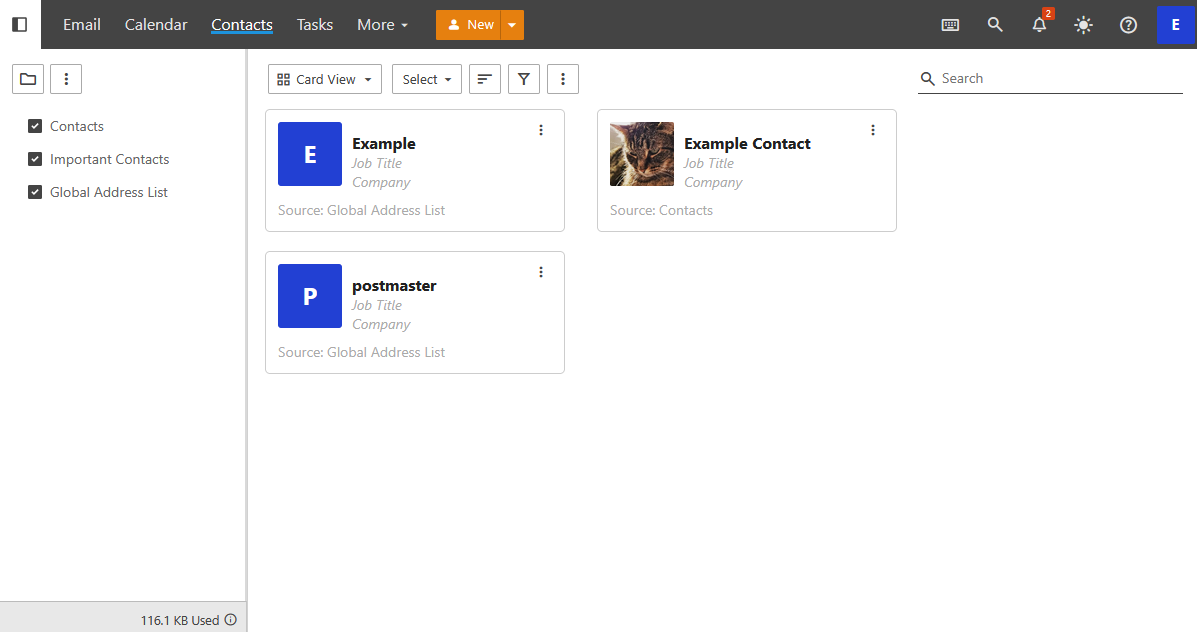
The new Caorda Webmail features the ability for users to share Contacts with other Webmail users. This new Contact management interface also has Card, and List layouts, for easier contact management.


Scheduled emails
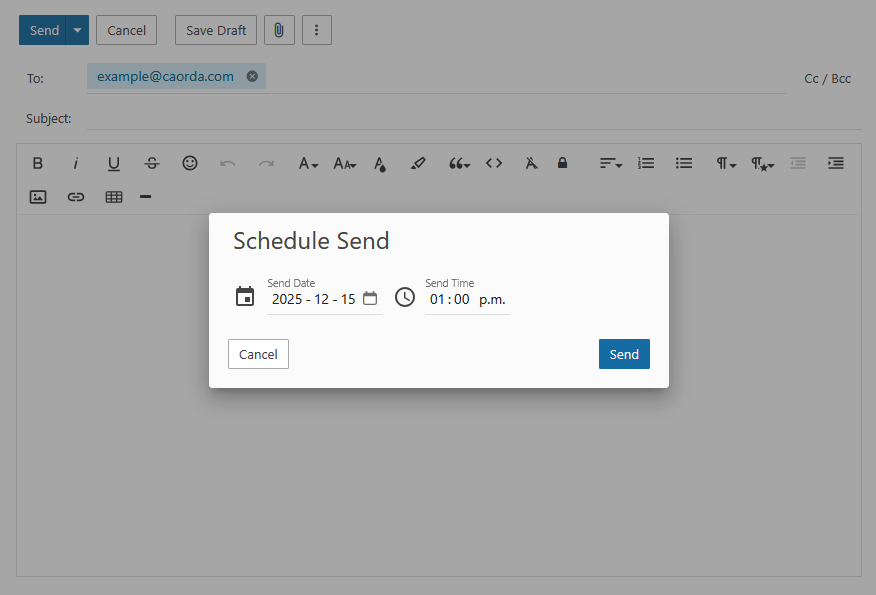
Plan and Schedule upcoming emails with simple controls. Select any Date and Time in the upcoming future and press Send. Your emails will be queued and delivered on your requested date.


Keyboard Shortcuts
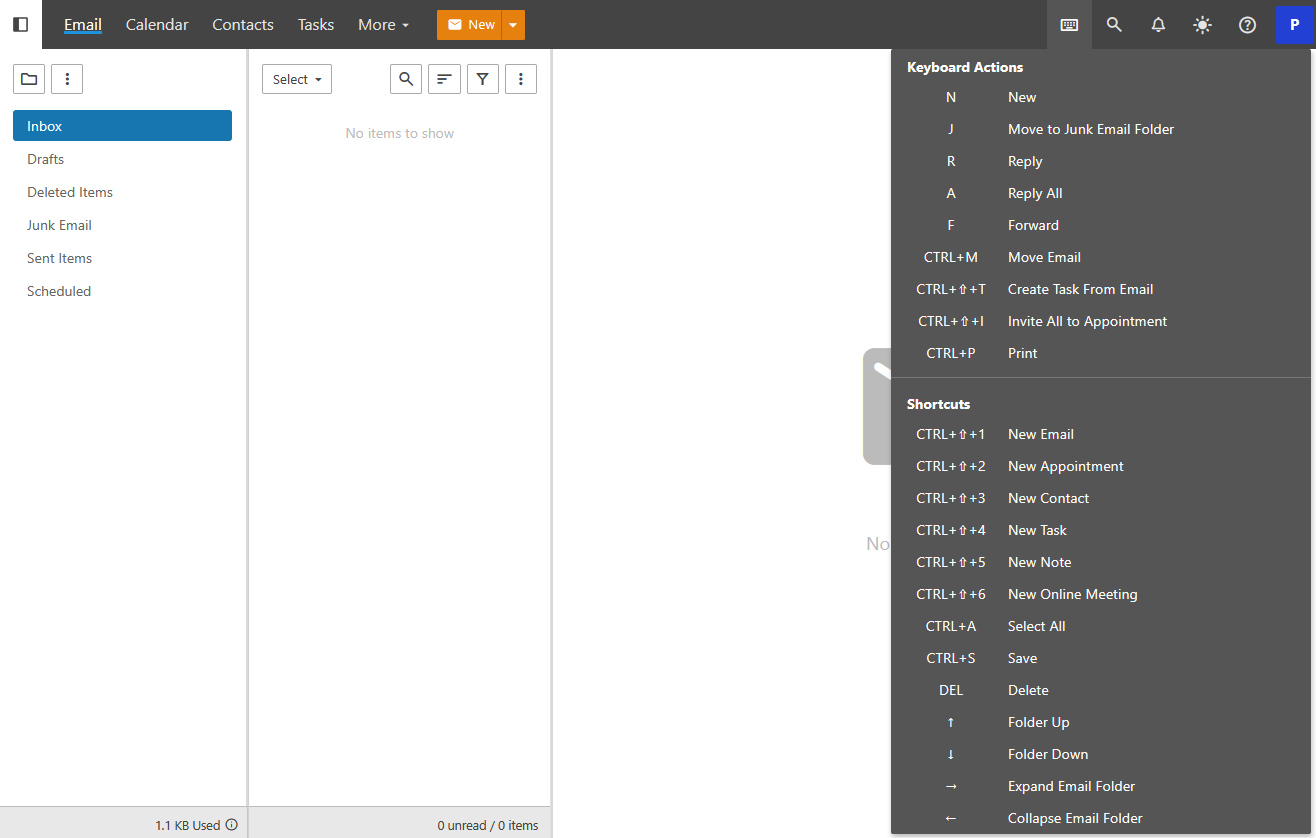
Boost your productivity by using keyboard shortcuts that speed up your work flow. Click the keyboard icon in the top navigation bar of Webmail to see a full list of available commands.


User Management features and updates


Expanded Administration
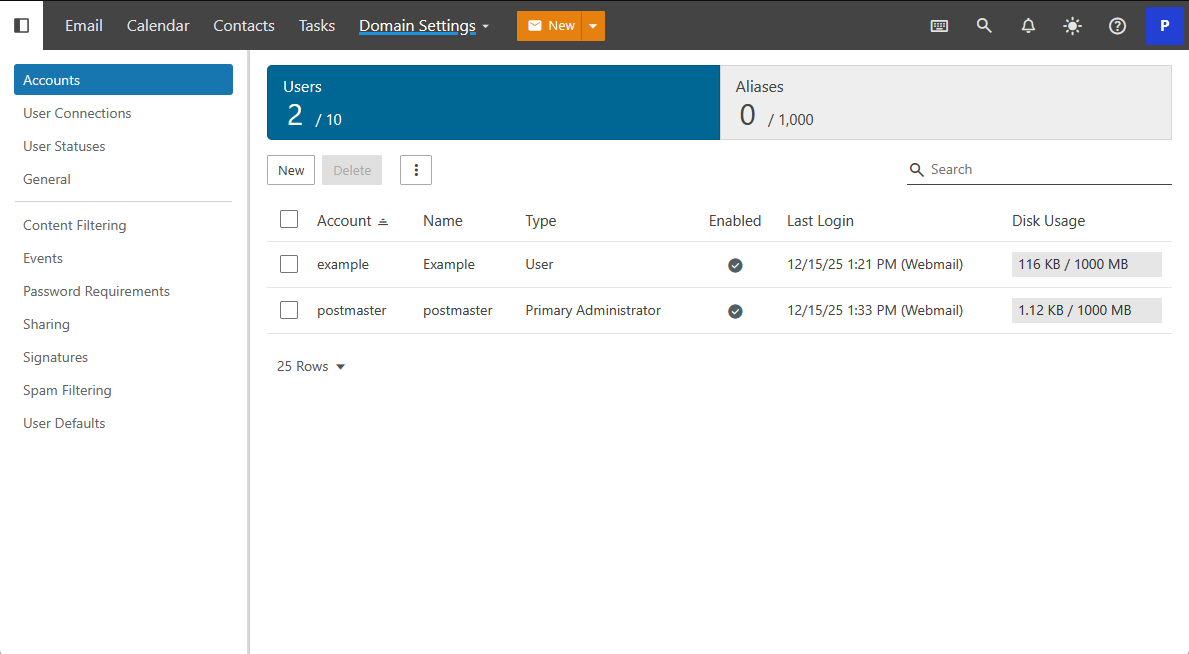
Available to Domain Administrators the new management interface is available within the same portal as the webmail. 


Domain Reports
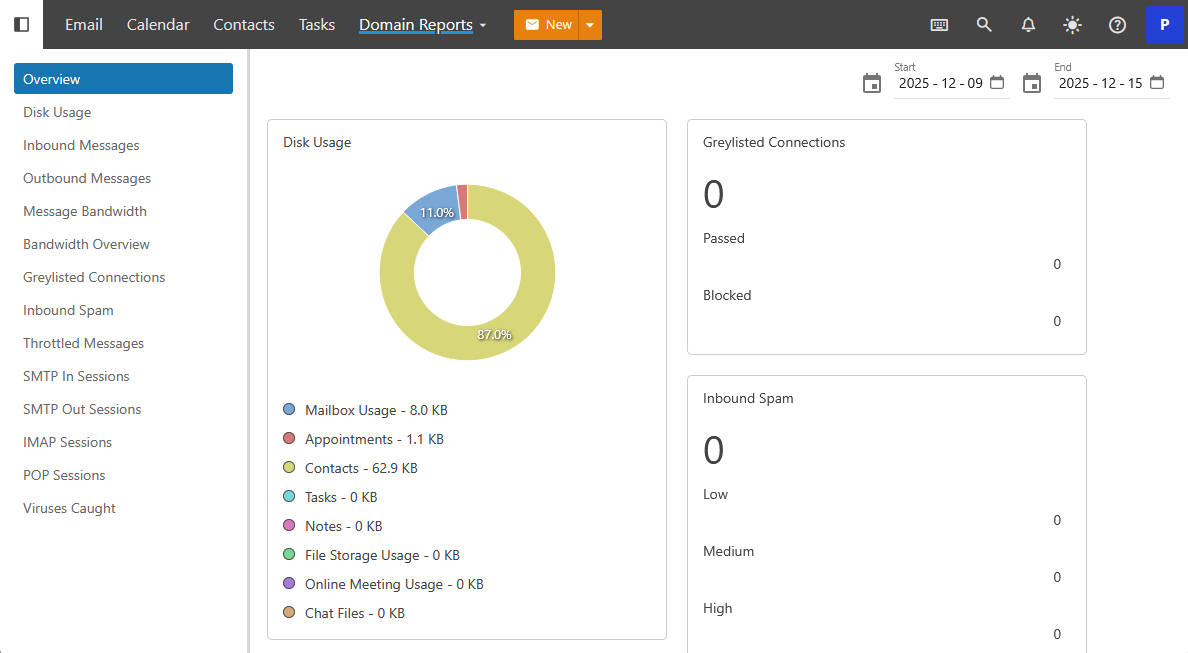
Containing the details and statistics, this informational display provides valuable insight into your domains email and your users connections.


Domain Settings
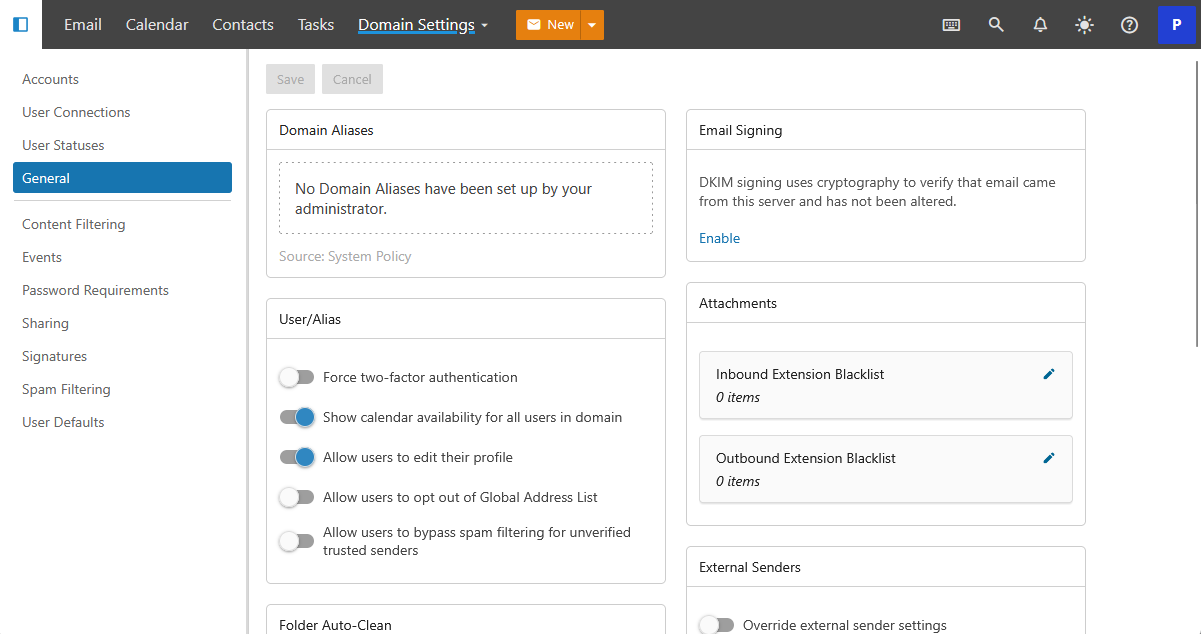
Detailed settings are available to Domain Administrators that apply globally to the domain. 


Didn’t find what you were looking for?
Need more help?

You’ve got it! We’re here for you

Contact Support

Or Call: 250.598.6772

Updated on January 16, 2026
What version of Outlook am I using?
Table of Contents
  • Webmail updates
    • A modern interface
    • New calendar
    • Improved contacts
    • Scheduled emails
    • Keyboard Shortcuts
  • User Management features and updates
    •  
    • Expanded Administration
    • Domain Reports
    • Domain Settings
  • This field is for validation purposes and should be left unchanged.

Our Address

401–3795 Carey Rd. Victoria, BC V8Z 6T8

Say Hello

  • +1 250.598.6772
info@caorda.com
  • Get Support
  • Our Services
  • Contact Us
  • LinkedIn
  • Facebook
  • Instagram
©2026 Caorda | Privacy Policy
Client Login
  • Design
  • Development
  • Hosting
  • Marketing