
There are 2 situations to show here, they are
- You know your password and simply want to change it
- You’ve forgotten your password and need it changed.
Changing a known password
To change a known password you simply need to log into Webmail and change the password. To do this follow these simple steps
- Log into Caorda Webmail
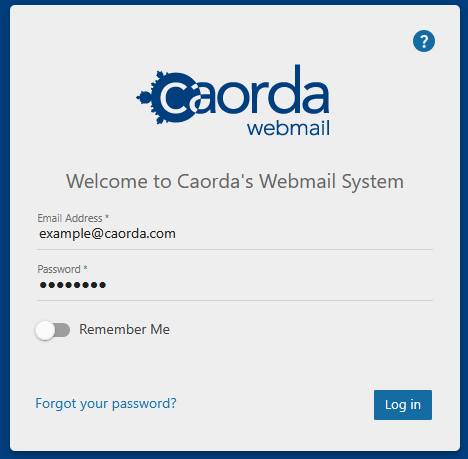
- Once logged in click on More (found in the upper tabs) and click on Settings
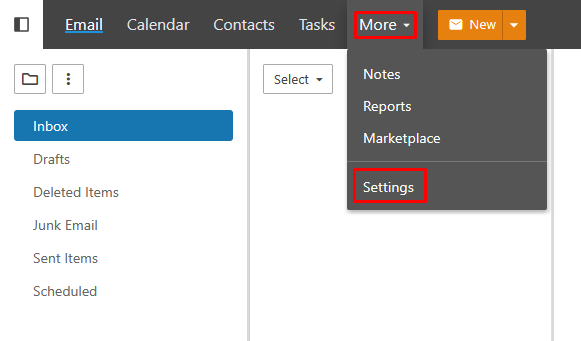
- Make sure you are in the Account section and click on the Change Password button
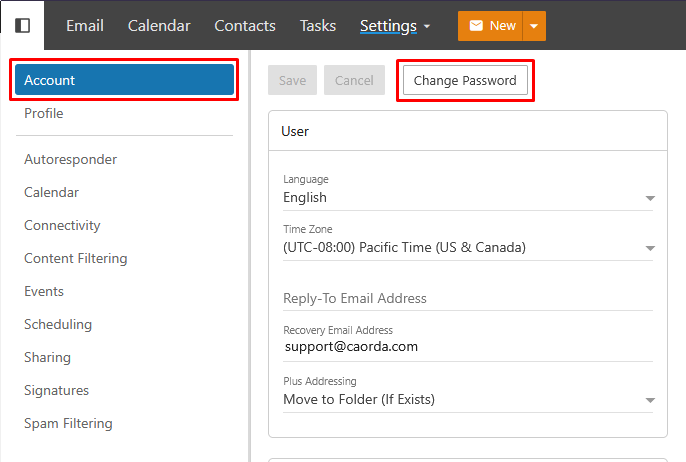
- Enter your Old Password and your New Password twice in the provided fields (Conforming with any password guidelines configured with your email service). Then click on Save
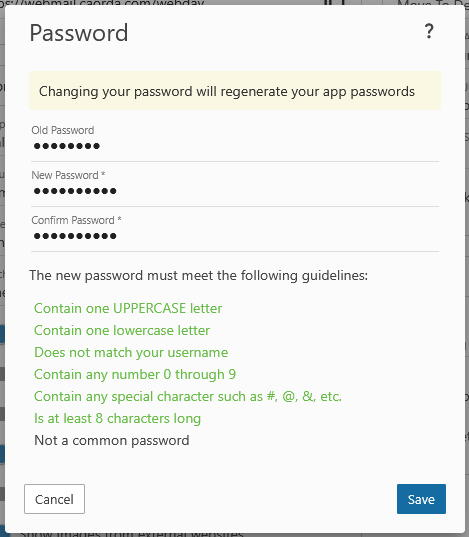
- Congratulations, you’ve changed your email’s password. Please note, once you change the password, any devices and mail clients have have been previously configured will need to have their password updated.
Changing a forgotten password
If you have not previously logged into Webmail give Caorda Support a call 250-598-6772 and we can help. Please note, when logging into Webmail the first time, you will be prompted to supply a recovery email address allowing you to recover access should you ever forget your password.
If you’ve forgotten your password but have logged in previously to Caorda Webmail, follow the steps below to go through the password recovery steps.
- Navigate to Caorda Webmail in your web browser and click on the Forgot your password? option
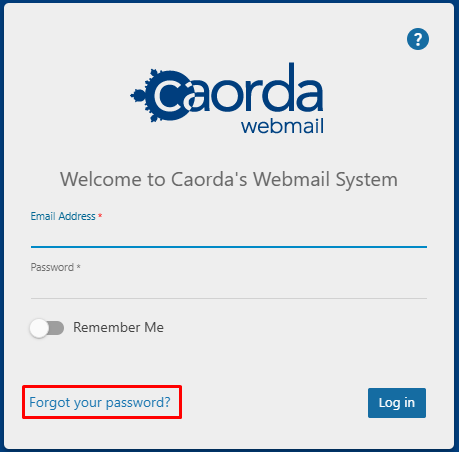
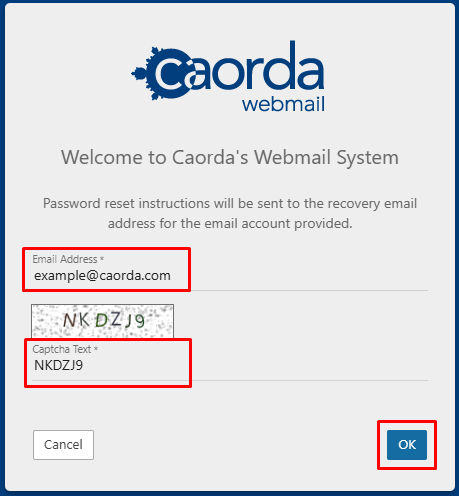
- Enter your Email Address and the Captcha Text and click on OK
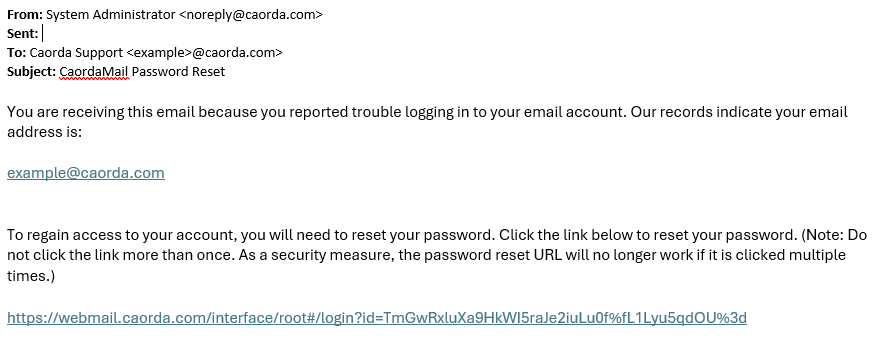
- A recovery link will be sent to the recovery email you have previously associated with your mailbox, once received click on the supplied Link. The recovery email will look similar to the one below
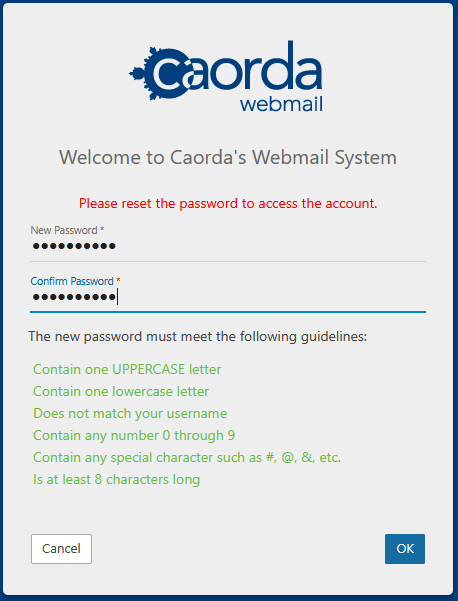
- You’ll be directed to a recovery screen enter your New Password twice (Conforming with any password guidelines configured with your email service). Then click on OK
- Congratulations, you’ve reset your password and can proceed to log into Webmail or update any email clients/devices with the updated password.
If you encounter any issues through this process, please give Caorda Support a call 250-598-6772 or contact us another way