
Available to Domain Administrators, you can get to this information display from the top navigation. Select More then select Domain settings. When the Domain Settings page loads select User Connections from the left navigation.
This display lets an Administrator view and manage users connections. This provides details on how each account is connecting.
Your connections overview
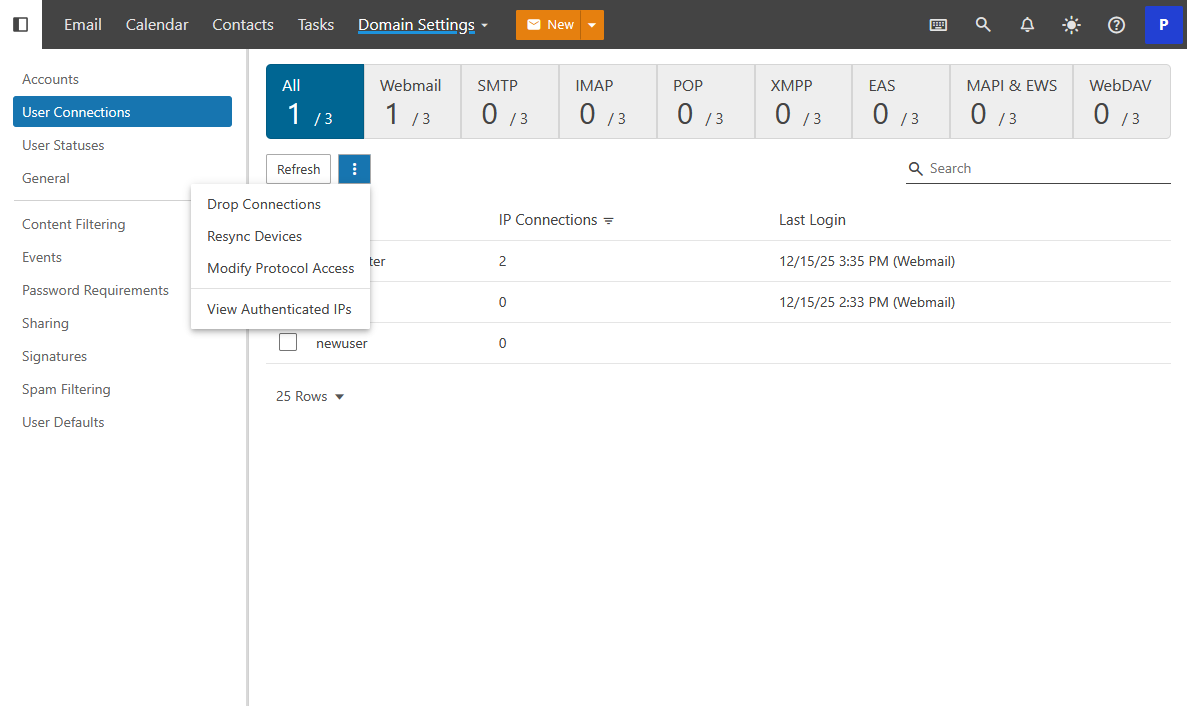
From this panel an Administrator can disconnect a problematic connection, re-sync a device, and view what IP Address users are connecting from.