
Within the new Caorda Webmail, User Aliases and Distribution groups are the same. A user alias is a single email address that will forward to the users email address. A distribution group is an email address that forwards mail to one or more email addresses. This guide will help you setup either of these two options for your users.
To complete this action you must be logged in as a Domain Administrator.
Domain Aliases
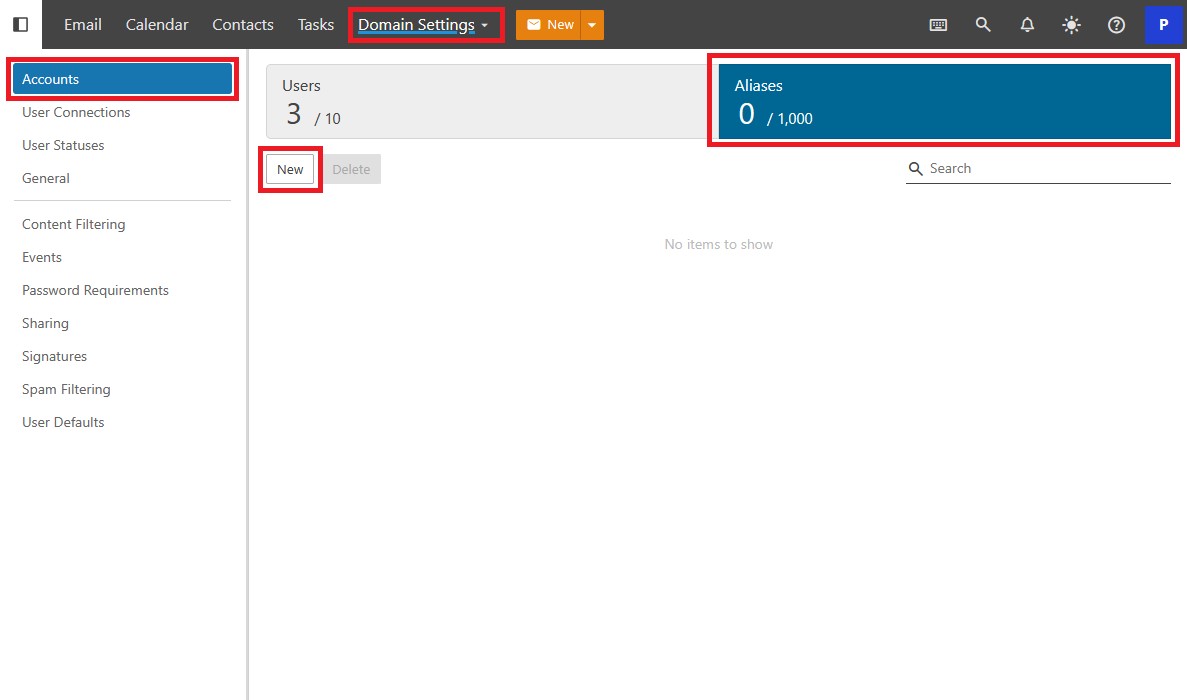
To begin setting these up the Domain Administrator needs to navigate to Domain Settings -> Accounts. At the top of the Accounts page there is a large button with the title Aliases. Click on Aliases. Then, you can click New to create a new Alias.
Enter the Alias details
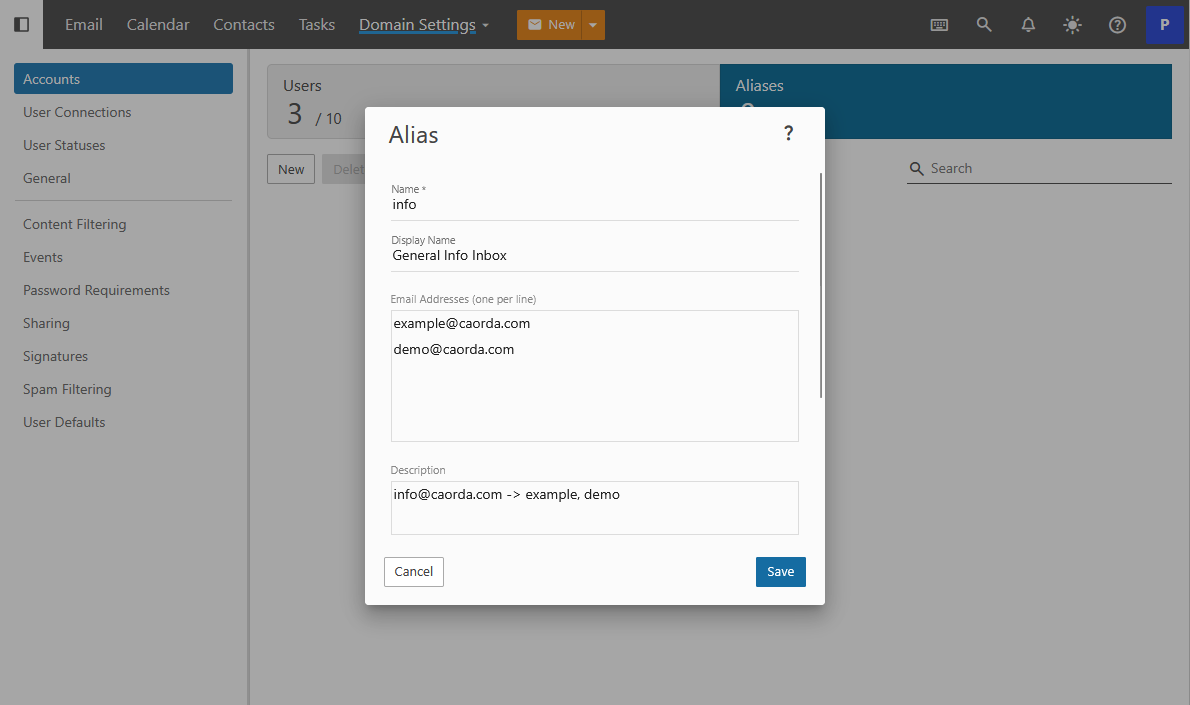
Enter a name for the alias. This name becomes the email address. If you type “info” it will create info@yourwebsite.com. After choosing the name, add the addresses that this inbox will forward mail to in the Email Addresses field.
If you’re creating an alias for a specific user, simply enter that user’s email address.
If the address is intended to be a distribution group, list all group members in the same field.
Add a brief description for helpful reference. When you’re finished, tap or click Save. The alias or distribution group is now set up and ready for use.