
Domain Administrators can add new users. To get started login as an Administrator, then navigate to Domain Settings from the More menu on the top.
Navigate to accounts
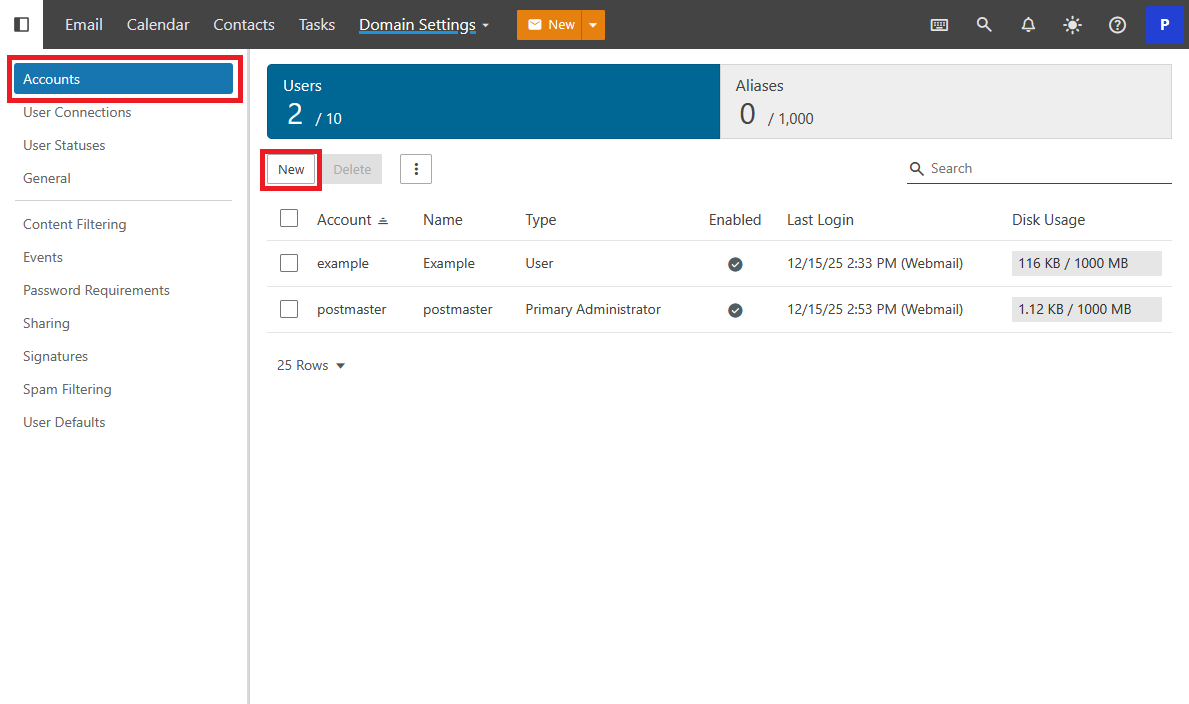
Select Accounts from the left navigation. From here a new account can be created. Click New.
Enter a new user
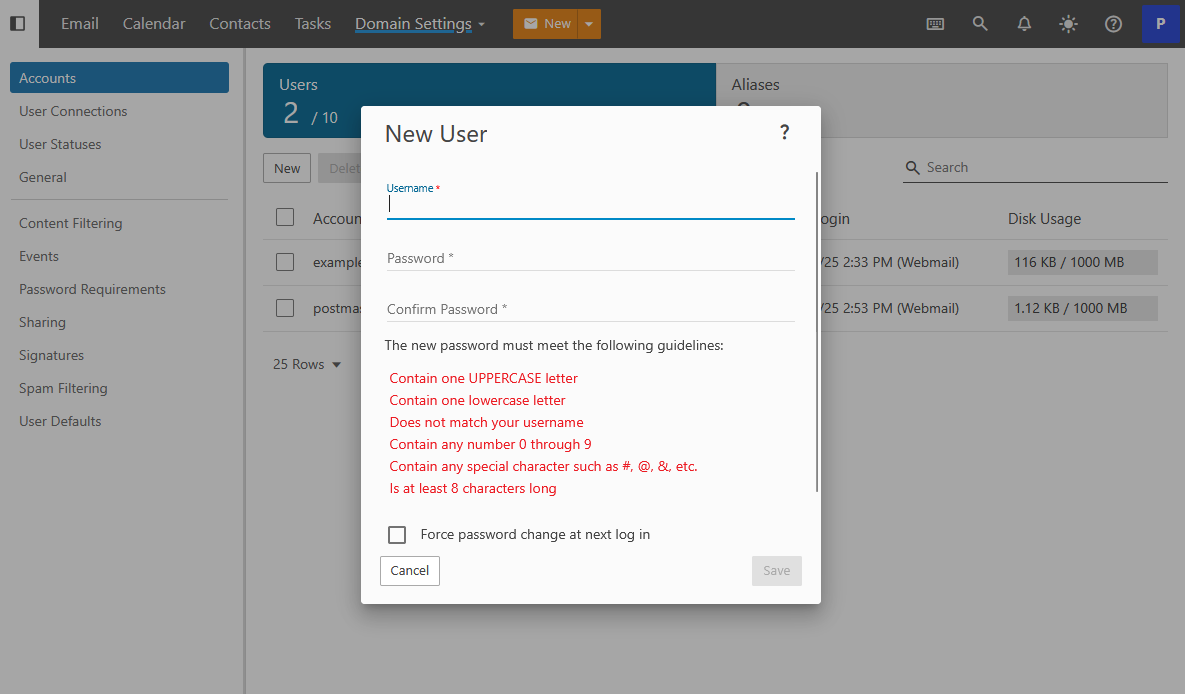
Enter a username and password for the user that meets the password requirements. If you would like to you can also require the user to enter their own password when they first login to the Webmail. When you are done Click Save.
New Users settings
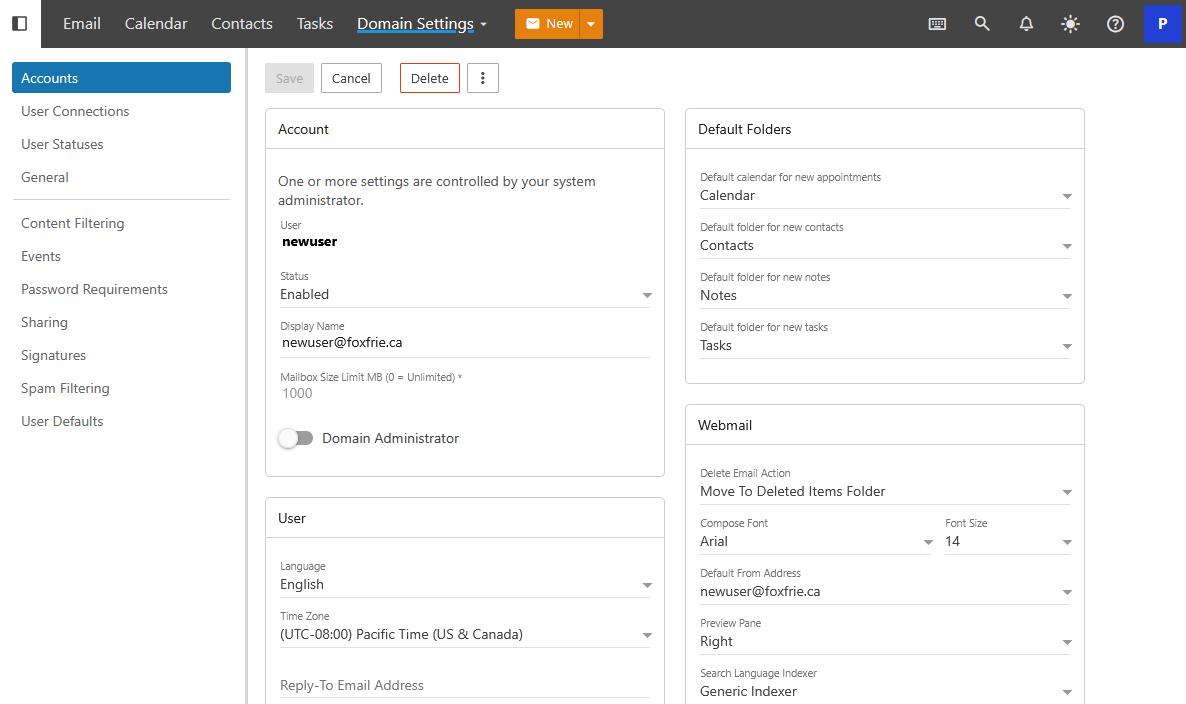
After clicking Save you will be redirected to the settings page for this newly created User. The account has now been created and is ready for use right away.