
In our new email system you can use a feature called Plus Addressing. This lets you add a tag after the + sign in an email address, for example example+demo@caorda.com. If you enable the Plus Addressing option, the system will look for a folder whose name matches the tag.
If you have a folder named Demo, any mail sent to example+demo@caorda.com will be automatically placed within the folder named Demo, instead of the default inbox. This makes it easy to sort or filter incoming mail by simply choosing different tags in the address.
Plus addressing setting
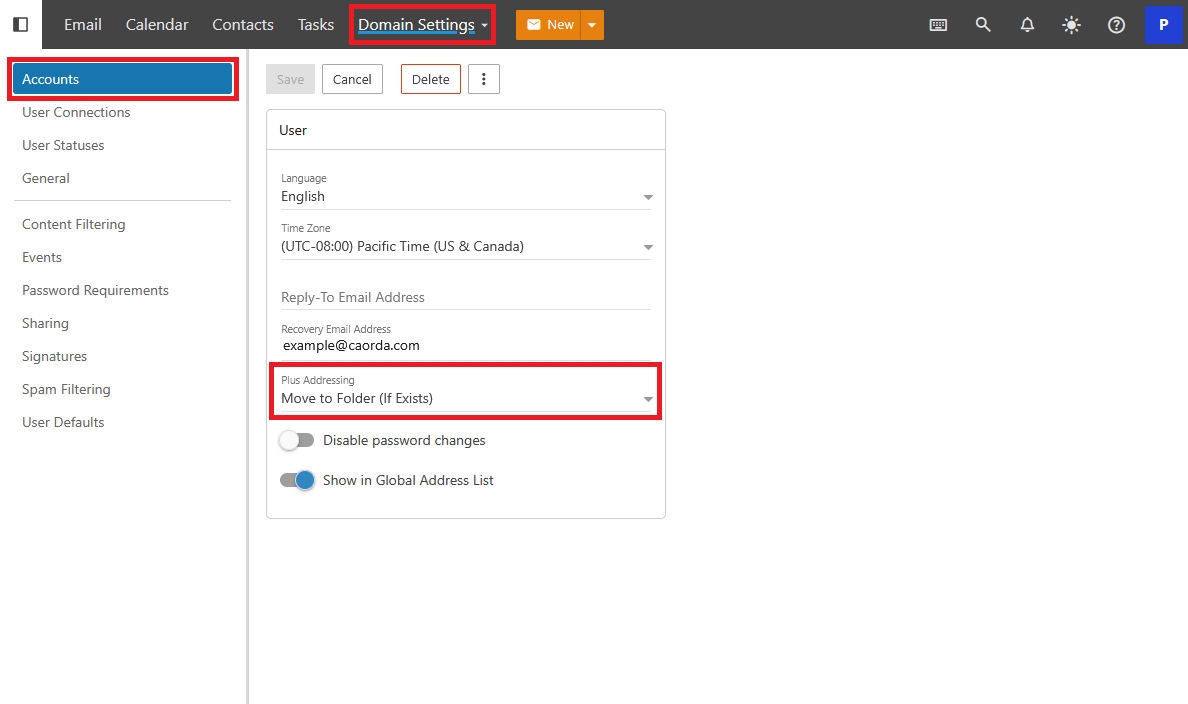
This setting is available to Domain Administrators. From the More menu, select Domain Settings. When you land on the Domain Settings select Accounts in the left sidebar navigation.
Plus address options
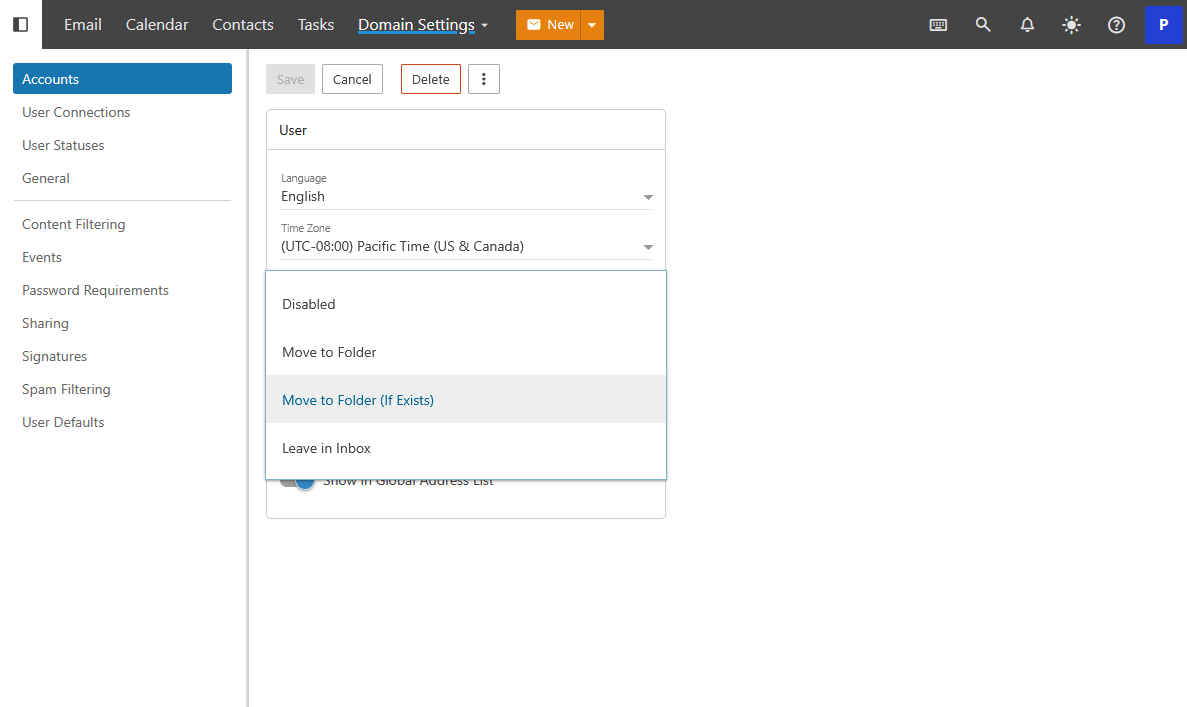
As a Domain Administrator you can select how you would like this feature to perform it’s action. It is recommended to leave as Move to Folder (If Exists). If you would like you can disable it entirely from this setting.