
Domain Administrators can easily remove any accounts that are no longer needed. You must be logged-in as a Domain Administrator to complete this action.
Select which account to remove
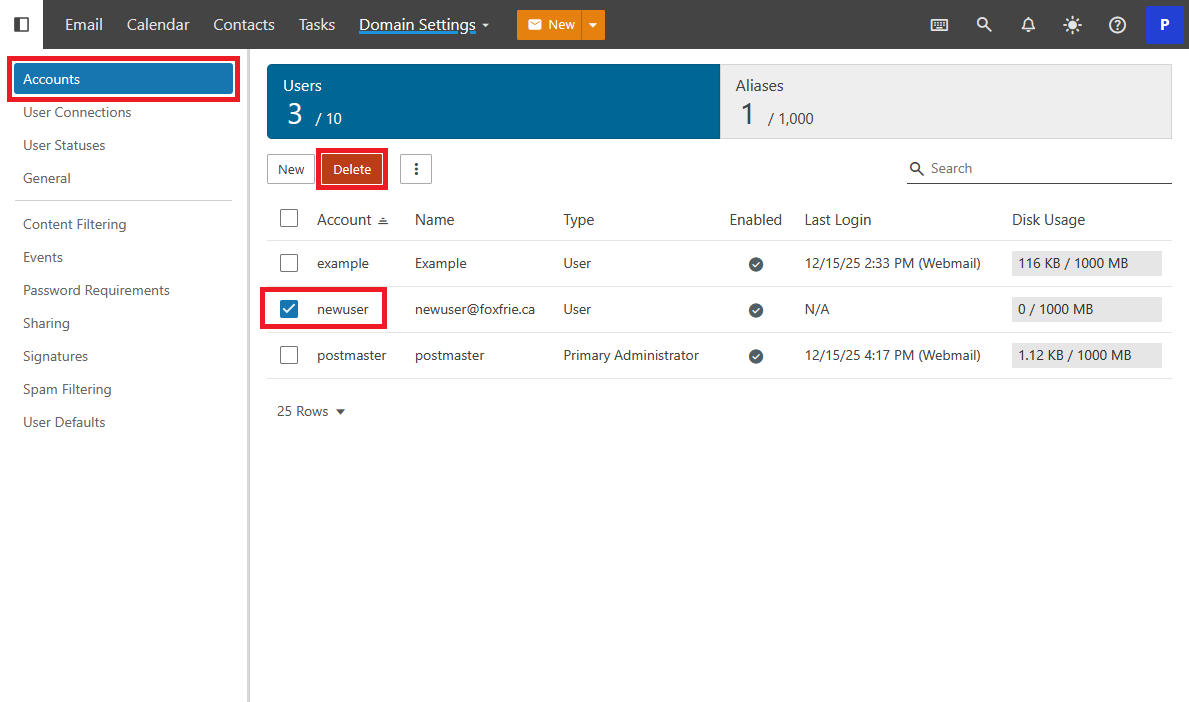
From the navigation menu select and expand More. Navigate to Domain Settings.
From within the Administration menu on the left select Accounts. Find the account you would like to remove and click the check-mark beside the account. With the account selected click Delete.
Confirm Deletion
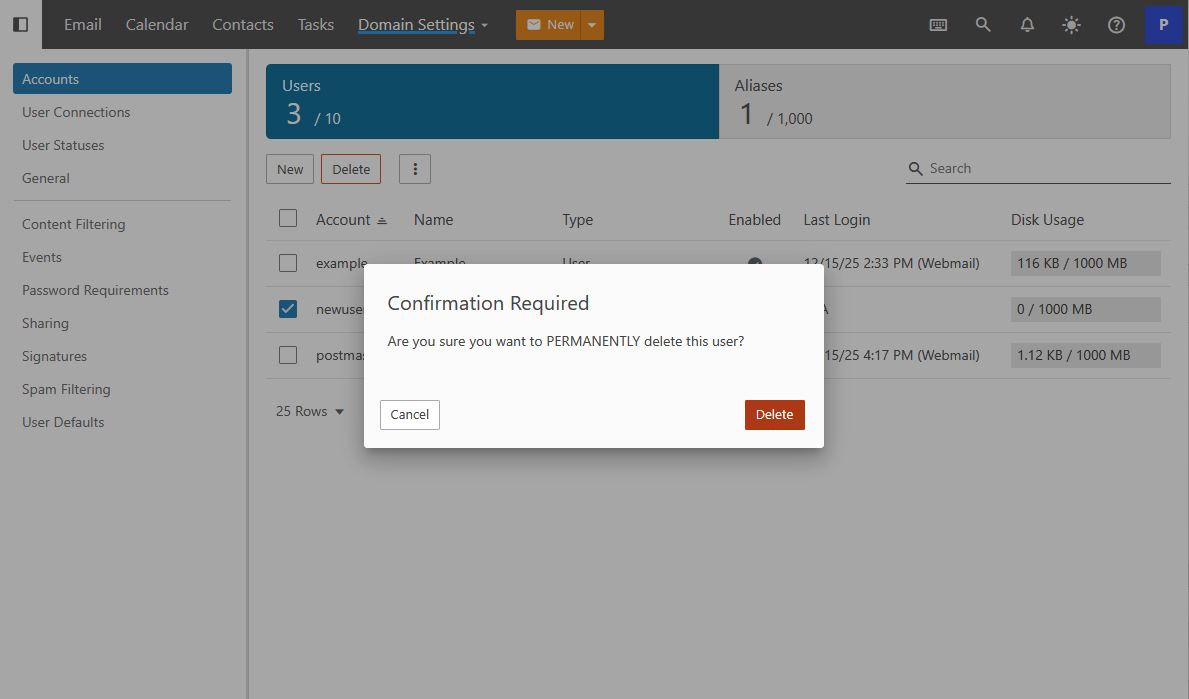
The system will prompt for confirmation. Click Delete to confirm the deletion and remove it from the Domain.
After clicking Delete, The user is removed and is no longer available.