
If you would like to reset your password here is how to perform the reset in Caorda Webmail. A previous recovery email is required to reset the password through the web interface.
If you do not have a recovery email setup give Caorda Support a call 250-598-6772. For security reasons we will send a new password to the primary contact we have on file for your domain.
Visit the Webmail
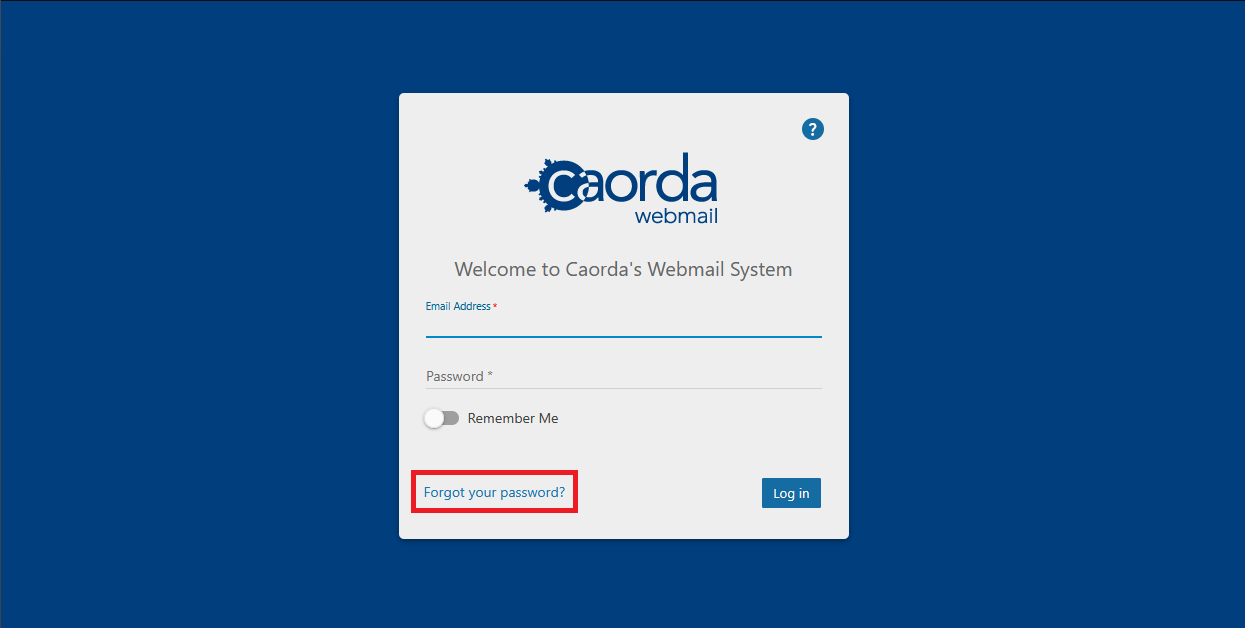
The Webmail is available at https://webmail.caorda.com. When you visit the Webmail portal there is a link available at the bottom of the login form. Click on the Forgot your password? link to get started.
Reset your Password
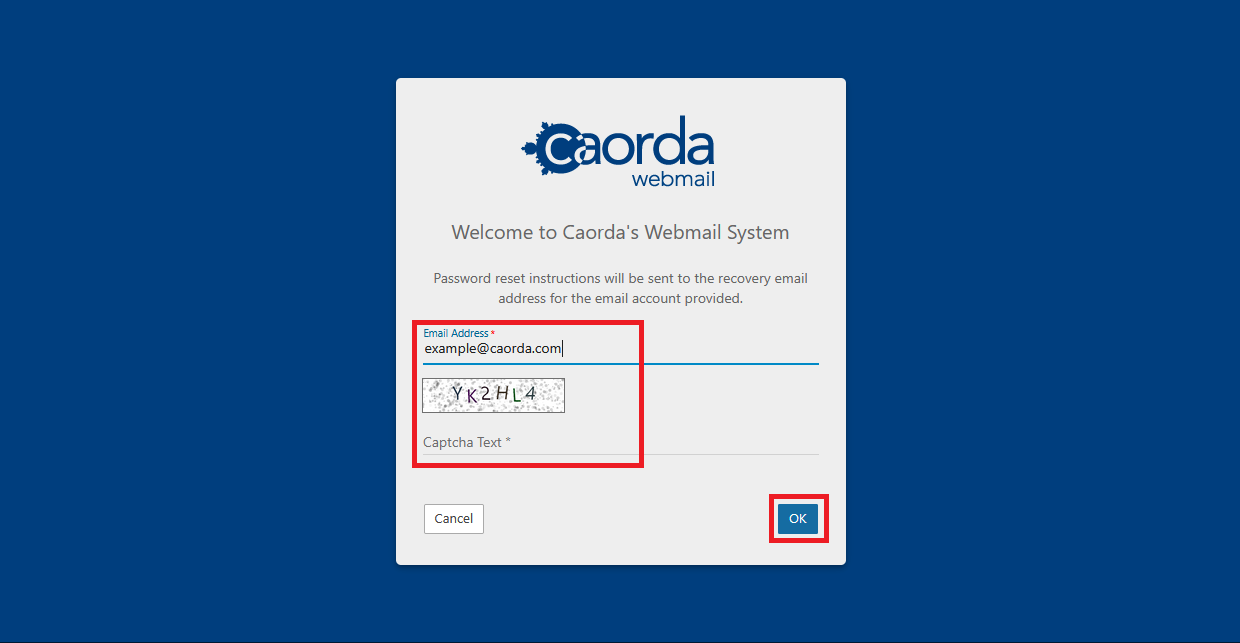
This will bring you to the password reset display. Enter your current email and complete the Captcha. A recovery method will be provided to the recovery email attached to your account. If you do not have a recovery email give Caorda Support a call 250-598-6772 and we can help you reset your password.